37:09




You know, the first thing you think about is this, right? We thought about this years ago. We've done tons of user testing on this, and it turns out it doesn't work. Touch surfaces don't want to be vertical. It gives great demo, but after a short period of time, you start to fatigue, and after an extended period of time, your arm wants to fall off. It doesn't work. It's ergonomically terrible. Sorry, I had to. They said they wouldn't do it for a really long time, but now they just decided to go ahead and do it anyway. Apple today unveiled the latest addition to their laptop lineup, a MacBook Pro with a touchcreen. But it's actually a lot more
than just a touchcreen. It's also a bit thinner, it's a bit lighter, and it's a bit more expensive, starting at $2,900. And that's what's going to make the headlines. And that's maybe all you need to know, but it somehow gets way more interesting than that. But let me just get you the basics first, right? So, this new display is the star of the show. It's the same sizes as before, still a 14 or 16inch MacBook Pro, but it's a tandem OLED display that in person looks absolutely awesome. Not that the current miniLEDD Mac Pros looked bad ever, but this one gets you that crazy 10 million to1 contrast ratio because what OLED has always been good at is pitch blacks and way less blooming. So, pending any more in-depth
testing, I can just tell you straight away like contrasty and/or HDR content looks awesome on this thing. But then the more I played with it, there's also a bunch of other little things that are also different, too. like the bezels are slightly thinner, so the displays are just that tiny little bit larger. And they also decided to curve the bottom corners of the display for some reason. The already great speakers are slightly updated to sound better when the lid is closed and have deeper bass. And then the laptops are also slightly lighter thanks to the OLED display and a redesigned cooling system inside. And
I'm going to be honest, I'd upgrade for the weight savings before I would for the touchcreen. Like this 14-in laptop is now going to be 3 lb instead of 3 and 1/2. And the 16-in is almost a whole pound lighter, which makes a big difference when you pick it up and carry it around almost every day. And as you probably noticed, there's a dynamic island up here at the top now instead of a notch. But it is also just a webcam and an ambient light sensor up here. So, still no Face ID. They're calling it the MacBook Pro with ProLed XDR display. That's cuz they still name everything obviously. But yeah, sick looking display. And there is also a regular glossy or a matte nanoexture option.
Now, the rest of this MacBook Pro around that display is mostly the same as what we've gotten used to. Same design, same ports, same keyboard, same battery life, same M5 Pro and M5 Max chips, same Touch ID fingerprint reader in the corner. But you got to be able to know it's the new one somehow, right? Like, that's that's the Apple thing. How am I going to buy a new $3,000 laptop with no new colors and no one can tell I have the new one? But don't worry, they thought of that. They made sure and they brought back the glowing Apple logo on the back and it looks iconic as it always has. It still has this metallic reflective look when it's off. But then, fun fact, the brightness of that logo glowing matches
the brightness of the display. So, in a dim environment, your display is dim, so is the logo on the back. Then, if you're in a bright space, bright screen, bright logo. It's funny, it's even more of an engineering challenge to bring that back with an OLED because there's no backlight for an OLED. So, with the old ones, they could just cut a hole in the back and then the backlight would shine light through. The logo would glow. It would be cool. This one, they are specifically engineering extra stuff to make the light glow on the back because there's no backlight to do it for free. They spent a little extra battery on that. Just know that. But, okay. As a as a current gen MacBook Pro user that
I am, if you ask me to make a list of like what I was hoping for in a next generation of a MacBook Pro, first of all, I you kind of don't need one for a long time. This thing is going to be good for many years. But if you forced me, honestly, a touchscreen was never going to be anywhere near the top of my list, right? Like an OLED. Okay, that's nice. I was looking forward to an OLED display. I probably would have had Face ID pretty high on my list. They didn't do that, obviously. Uh, but I've never really wanted a touchscreen laptop. Now, I've had and tested lots of laptops over the years that have had touchcreens.
You've seen tons of them before. And so this isn't exactly brand new, but almost every time I use one, I kind of just forget that it has a touchcreen because I just don't use it. Like those Google books that I just made a video about recently. All of them are touchcreens, but I never really felt the need to use the touchcreen. I never want fingerprints on my display. I never want the display wobbling around as I'm touching it. And I never want to hold my arm out and have my arm get tired. Like all this stuff is still true. But look, it's Apple. their thing, their thing has always been to join late with a technology that's already been out and then do it better the Apple way, right?
So, what are they doing with this? Is there anything at all about Apple's new implementation of putting a touchcreen in a laptop that is solving something that the others haven't that makes it finally time for them to bring it to market? I think the honest answer is no. And I got to play with it for a few minutes and don't get me wrong, it is very responsive. It works perfectly. Scrolling everywhere that you think you can is intuitive. Pinch to zoom works where it should. It responds to literally all 10 fingers at once if you want to. So those gestures that you could do on the trackpad to like move between spaces, you can now
theoretically wipe up and just paw across your display with four fingers to move back and forth between spaces. Feels kind of weird that you can do this. Uh but yeah, you can now do this on MacBooks, too. They also moved Spotlight and Siri to be animated out of the dynamic island. So instead of command space, which still works, uh you can decide to swipe down from the top of the laptop and then put your hands right back on the keyboard to type. Uh but there's also the expected clever adaptations like window management. So you can grab a window if you can get the right touch target point and fling it to one side and then it'll take up half your screen and then grab another one,
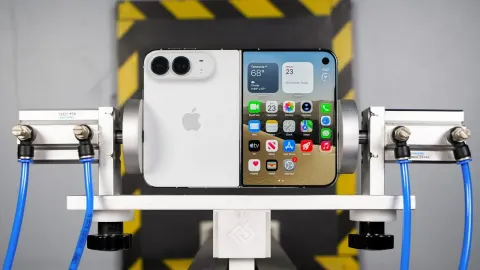
fling it to the other side, kind of like you might do on an iPad. But you might also notice if you try to touch a really small touch target, like specifically those stoplight controls in the corner of a window, it will first magnify them to make them bigger and then you tap which one you want. So at least they thought of that. It's still kind of sloppy and messy to use it. But they're not solving anything. Like they're they're making it a little bit easier. They're adapting for you, but they're not solving anything. I was thinking maybe the hinge would be the thing that was like drastically different. They just did this fancy iPhone Duo with a variable hinge weight. Okay, maybe
they'll do a crazy hinge on the MacBook Pro where it's really stiff in the middle. But yeah, not really. Uh, physics is still physics. They have adjusted this hinge and it's a little bit stiffer in the middle, but it still has to be able to open and close easily. So, it can only be so stiff. So, it still does wobble a little bit when you are poking it or pressing it or playing the keyboard for some reason on your new touchscreen MacBook Pro. There's also no Apple Pencil support on this new MacBook Pro. So yeah, at the event I was basically left with like watching all these stationed like pros that they have around sort of demonstrate their pro workflows and occasionally they would like reach up
and do something on the touchcreen display like pulling up a virtual keyboard in Logic and playing that on the display for some reason or manipulating a 3D model around or panning around a gauian splat stitched together from a bunch of iPhone footage. just a kind of occasional stuff where you poke around the display. Not really too often, but I think my take is as long as these apps are built for Macs, they're going to be built primarily for machines that don't have touchcreens. Most Macs don't have touchcreens. So, they will always be keyboard and trackpad first, even when you're running them on a touchscreen Mac. So, most desktop class applications, most of the stuff that you're doing that's been
developed for so long for Macs is not going to involve touching the screen. The one thing that I found convincing or at least interesting is iOS app development. So if you're in Xcode and you bring up the iPhone simulator to test your app and then you're like poking around in the actual simulated iPhone that okay that I could see being a useful use of the touchcreen here. But yeah, aside from that, to me it reads as just an option and it's a cool demo, but it's it's just one option of a thing you can get with a MacBook Pro. I just can't I can't get the Steve Jobs like quote out of my head. It's like replaying everywhere now.
It gives great demo. He's right still to this day. It makes a great demo. And they had incredible demos galore all over this event. You might have seen the video by now of like John Turnis playing with a touchcreen on the laptop that's connected to a glowing wall of instruments that respond to your touch in real time. I got to play with that, too. There's a bunch of other creators that got to play with it, too. It worked amazingly well. Never seen anything like that before. Cool demo, but at the end of the day, my take, yeah, it's just an option that is not it's not really rearchitecting the entire MacBook Pro around it. The MacBook Pro still exists. This is not
some new MacBook Ultra. It's another MacBook Pro that happens to have an OLED display, and it didn't really cost them any extra weight or battery to make it a touchscreen, so they just did it. And you know what? That seems to be the new Apple, like the new Turnis way. They I know that you know these products have been in development for a long time before John Turnis took over as CEO but philosophically they slot him in and the first thing he does is iPhone Duo which is like everyone's interested in the newest iPhone but this is just an option of a newest iPhone that's probably not for everybody. And now same thing with this touchscreen MacBook Pro. They said they'd never do it and for years they
didn't do it but now they're just kind of slotting it in as an option. And everyone who's looking at MacBook Pros is going to look at that as like is this the best one? Should I get this one? But it's not for everyone. It's just an option. So, I'm fine with that. I'm cool with it. I just I'm personally not interested in the touchscreen at all myself. I am way more interested though in this laptop because of how good the OLED looks and because of how much lighter it is. I keep coming back to that. I was just picking it up next to the 16-inch MacBook Pro I'm carrying around and editing this video on, and I'm like, "Oh, that might be really nice." But let me know down below that
like button what you want to see in a full review of this machine if you're interested. I think it might be particularly interesting to compare it to these new RTX Spark laptops because there's a brand new touchscreen matte black Surface Ultra laptop that's like one to one with this thing. So, that's pretty cool, too. Uh, but let me know in the comment section below. Either way, get subscribed to be first to see it when it comes out. I'll catch you guys in the next video. Peace.