7:05



So, ahead of IO, Google announced a number of key changes to Android Auto and the builtin in-car entertainment system that powers many modern vehicles. But here's what it's like to use having spent some time with it on site. If you want more Android Auto coverage, then how about doing me a favor and hitting subscribe? It'd really help the channel out and I'd love to have you as part of the team. So, do it now. Cheers. So, first up, one of the main things I can say right away about these changes is that the good news is Google has listened to our complaints. Android Auto in particular definitely needed some of the changes announced at the Android so desperately that it felt like they
would never arrive in previous versions. Finally, adding YouTube feels like one of the easiest wins for incar entertainment. The guardrails, I think, are sensible, and the ability to effectively listen to a YouTube video while you're driving is a huge boon for long- form content lovers. Podcast fans, I'm sure, will quietly be rejoicing. That said, it feels so long overdue when it has been possible with Google Builtin, formerly Android Automotive, quite a while already. Watching a bit of YouTube while parked is something I'm looking forward to very, very soon. And I must admit, this was a great experience to see this in the flesh, having that full YouTube experience on the dashboard. Adding in more detail to Google Maps with the immersive view
experience definitely seems like a great addition on face value. I can certainly see it helping in areas where you might not be intimately familiar or have never really visited an area previously. The 3D elements help you instantly position yourself without being too overwhelming. Just a few visual clues would have been enough in my opinion, but this is an excellent implementation over the sometimes abstract shapes used currently in Google Maps. And I can see myself getting lost less frequently in the future with this update. I'm actually intrigued to see how this will work on every vehicle out there, as not all in-car displays are huge, almost borderless panels, and that extra detail
might actually be lost if your car has a small head unit and lacks extra visual clarity to see these intricacies. Maybe you have a low resolution panel. I will say that criticism aside, immersive view appears to have reached or at least have reachable controls closer to you, the driver. I really like this change and it wasn't something I was anticipating as I think it makes those micro adjustments quick, simple, and your focus isn't taken away from controlling your vehicle if you do need to make changes to your destination. However, I do have a personal gripe is that here every single demo or hands-on session I've had with Android Auto or Google built-in has been on a vehicle with a landscape orientation head unit. I do think we
need to see more variation where possible as lots of automakers like portrait oriented displays. So, if like me you want a Volvo, you absolutely know what I'm complaining about here. Touching in the differences with Google built-in for a second though, I do think the ability to tie directly into those in-car cameras and use those for more even precise navigation is something that feels almost right out of a Whimo, one of those self-driving cars. We were told that recordings are limited to just a 30-second rolling snapshot and therefore no files are kept locally, but the demo showcased here asks for information about a visible landmark from that driver's seat. And while
Gemini can be a private tour guide in this instance, I think the safety implications feel a lot more valid here. I could see myself using this feature to ask about road rules, get clarification on route closures, or even toll road terms and conditions. This hands-off real-time visual search without the associated risks of using your phone is still where I'm actually sold on this kind of integration. And on top of that, Gemini is also able to reference car control, settings, or even those various dashboard information points. I do think that's going to be very useful if you have a query about something that's going on in a newer vehicle or something you don't necessarily know about. Yeah,
there's really good options to integrate Gemini in these places. I do though worry about the increased power consumption and processing requirements this might add. As impressive as some of these demos can be, losing data connections while accessing any cloud process definitely kills the experience instantly. And I can attest to this. At least I don't have to worry or at least bother my passengers when things start to go a behind the wheel potentially with Gemini in the passenger seat. Of course, one of the big headline additions is new design changes. And one of the few design changes I'm not really sure is all that great is actually the usage of widgets within the dashboard.
Sure, it's feature par with your phone, but is this something that is really useful when you're driving around? Why do I need to see a Google Photos widget in my car? Google Home controls do make more sense as do music player controls, but again, are they necessary? Google is also going deep on customizable widgets, and this is probably more useful for drivers despite those processations I have. Sadly, we only saw yet another weather or condition widget from within this hands-on demo. I guess this is the extent of what most people are doing in the cars during this testing phase. It had me thinking though and my initial takeaway is that I would prefer a customizable main home screen view with
those integrated custom widgets within them or locked within them. To me, this is probably the best way Google could have added the feature into vehicles rather than stashing these away and out of sight until you actually summon them with a sideways swipe. To that end, I just find the current weather ticker a little bit information light. So, using this, I'd like to have more details on the upcoming weather conditions in my area and then go a step further if I'm navigating to a different destination. I think it would be great to have Android Auto show the weather at that new location. Maybe some safety concerns have limited what we were shown, but I do think there is potential
here if it can be integrated a little bit better. And I know a lot of people will also love that you can customize things like the Android Auto inapp wallpaper, but to me that felt so inconsequential that I don't even think it was mentioned during my demo or I even asked about it. It's a part of the system that I try to avoid in all honesty as going through menus while you're driving is not the most intuitive, but it is still going to be nice for those of you that do happen to care about it. So those widget and very minor wallpaper complaints aside, I do think Magic Q feels more at home here than on my phone, for instance. And the demo we saw did have the data ready to go. I'm actually intrigued as to how it will work in the real world, just like
Magic Q on my phone. To me, the less time I'm interacting with the already massive display at the center console of my Volvo, the safer I'm going to feel. And Magic Q definitely feels like one of those sleeper editions. Sadly, on phones, it's rarely manifested in my day-to-day life. So, I'm a little bit concerned about how it will work. Maybe with Gemini intelligence set to come to Pixel phones later this summer, it'll provide the backbone for a better over experience here with Android Auto. The Google Assistant was definitely horrendous at voice dictation, whereas Gemini excels at it. Magic Q being able to take the lead and have responses ready based on my phone context.
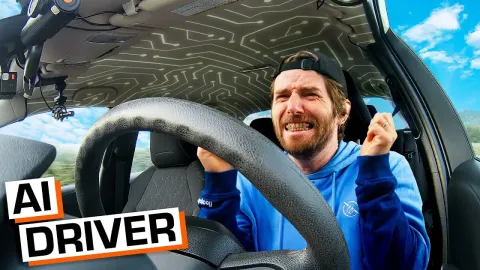
Definitely seems like a killer feature. I just wish we had a more broad example of it working than just asking for dates and times and the uh the dates and times of events. But it is easy to demonstrate that working for what it is. So overall, hand on heart, I have steadily come around to AI integration provided it's done correctly within the systems that we use day-to-day. The downside to that is that we simply do not know unless somebody tries to do it first. Over the past 12 months, I found myself more inclined to try various Gemini powered features. Some are awful, some are genuinely useful. And as someone who actively avoids driving where possible, I just don't like the experience. I was
very excited by Gemini in my vehicle. It definitely needs a little bit more work. But I think this is arguably the best place to integrate a more contextually aware voice assistant, mostly because automakers have decided that tactile buttons are surplus to requirements. I hate fumbling with touchcreens whilst driving. It's distracting as it is potentially dangerous. Gemini vehicles is somewhat a solution to this problem that has been created by automakers and you could argue the wider tech space. In my mind, Gemini summaries for travel should definitely be a greater component of the Android Auto and Google built-in experiences. For instance, if I'm about to travel a few hours away and the
weather is rainy in my location but sunny at my destination, this data is available. But having Gemini remind me that an umbrella or a jacket might not be needed is something that could genuinely be useful. at least not sunscreen. Or maybe even this could be integrated into a pre-drive checklist option. That would be a great option in my mind. I'm sure like me though, you just go into autopilot when you get into a car and I forget so many important things because I'm focusing on that major task of driving. So proactive nudges from Gemini which link to my account could be a truly powerful feature separator. As I say, tie that to my Google account, which has intimate knowledge of my movements, my experiences, my purchases, and
everything else in between, and it's a recipe for something that no other in-car entertainment system could potentially offer. Ordering food from the driver's seat is something we've sh been shown multiple times, and it feels alien for my European mind to comprehend. I have never felt the need to order something on such a whim. and Google insists on hammering that home that AI is ready to do that for you. But I just don't think I trust it with the entire ordering process and it feels surplus to requirements. Drive-throughs literally exist for this exact scenario and I think I'll stick to that admittedly rare instance to sate my design dining desires whilst driving about. As we saw with the big Gemini Live edition to Android Auto last year,
I think we still have a potential age to wait before this all comes to our vehicles, and it might not look exactly as we've seen here in this demo. And I am hopeful that these are more accurate than they were last year, too, as Gemini's roll out for Android Auto was a little bit of a mess. That said, this feels like the perfect place to add even a little more Gemini flavor. And I was very impressed leaving this demo, as I always am, with Android Auto updates. Let me know what you think down in the comments sections below. Is there anything else you would like to see Google do with Gemini in cars? And until next time, I'll speak to you later.