7:05



Can't believe you tucked me into this. Oh, this doesn't seem dangerous. No. I want to throw you out of your car. A common complaint around here is that it's kind of hard to get me to stop testing the games and actually finish shooting the bloody video. And that gave me an idea. What if we made the whole shoot feel like it's a video game and challenge line is to make a PC in the third person? It is shockingly effective. Yeah, our sponsor ASUS sent the key piece of the puzzle, their ROG XR R1 gaming glasses. We saw these a few months ago, and it's their extensive connectivity options that allowed us to take display port alt mode from the
iPhone 17 above me and turn that into a virtual 171in display at 4 m on their exclusive 240 Hz 1080p microLEDD display. The electrochromatic lenses can tint automatically or on demand to adapt to different lighting. And I'm going to keep them tinted so a certain YouTuber can't cheat this little challenge of ours. Dude, I can't see my hand through the tinting. I can't see my fingers. You know, the latency is decent. It's really not bad, right? Yeah. I think you might have a chance at this. Oh, dude. I'm going to slay this. I could build a PC blindfolded, let alone third person.
Stay tuned for that one. I'm going to leave you to it. All right, we've gone with an AMD Ryzen 7. We've gone with a Ryzen 7 7700X. It's got eight cores, 16 threads, Zen 4 architecture, meaning that it is perfect for a value gaming system like the one we're going to be putting together today. Where's my motherboard? Oh, we forgot it. You got to go find it. You guys want me to start this motion sick, don't you? I see how it is. No, that's fine. Oh, this doesn't seem dangerous. Oh god. Oh no. For our motherboard, we've gone with the B850 Pro Wiffi 7W Neo. I don't know what W or Neo means, but I know what Wi-Fi 7 and B850 means. It means this is a reasonably priced yet very fully featured motherboard, and it's going to
be a perfect pairing for someone who wants high-speed network connectivity like Wi-Fi 7 and 2 and 1/2 gig networking, but doesn't want to break the bank. All right, this is going to be the hardest part. Show me the triangle. There it is. Okay, top left. We're landmarked. Oh lordy. It's not that much latency, but it is a little bit. Dang it. AH, DANG IT. OH, BUDDY. She's in. She passes the wiggle test. CPU's Boom. Man, I don't remember the last time I felt this accomplished just for installing a CPU in a motherboard socket. This is seriously fun. Have you guys tried this? Nauseainducing, but
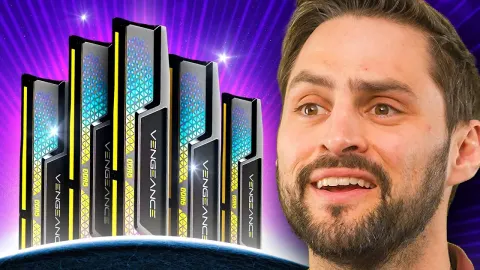
fun. It feels so weird and gamelike. It's like having an out-of- body experience. All right, let's out of body experience installing some RAM. We've got a 2x6 gig kit, which I assume is just because we wanted to show off 6400 mega transfers per second. probably not necessary for a CPU of this caliber, but it should be noted that nonX3D chips do benefit a little bit more than their X3D counterparts from faster memory. Wrong weight. Yeah, buddy. Oh, let's go. Oh, I'm gonna need my tools. Let me just dig through my pile of products from ltstore.com. We got Don't look too closely at this. Oh, the UPF hoodie with UV protection. Ah, here we go. You know what's really funny is
the first time I held something in front like this, I was just memeing cuz I was like, it's like I'm holding something in a game. And then now I'm just doing it naturally so that I could see what I'm doing. Oh yeah. No, it's got a toolless M.2. Ah, look at that. Somebody took the sticker off for me. So nice. For our SSD, we've gone with a Crucial P5 Plus 1 TB because we needed some storage for the system and that was what we had lying around if we're being realistic. Oh yeah, buddy. Easy peasy. Squeezed lemons. M.2 installed. Okay, tell me, Jordan. Yeah. Am I making slower or faster progress than you thought?
You're doing way better than I thought you would. What's up? All right, I'm going to insist you use the Noctua cooler then. Okay, I can do that. Get this out of here. NO. OH, DANG. YEAH. Let's go. We've gone with a Noctua NHU12S Redux, I assume. Yep. Uh, I tried to make it easy and gave you the bags. Hey, speaking of getting the bag, how about the contrast on this incredible micro OLED display on these glasses I'm wearing? Huh? You like that, Jesus? They really are outstanding. I can't see through them like at all. Like in the very darkest parts of the image, maybe a little, but where the actual display is and where I'm seeing
my own third person perspective, I can't. It's becoming second nature. If I want to look at something, I hold it above my shoulder. This is the kind of thing that stomach resilience allowing. I would recommend that anybody try. It is surprisingly intuitive. Ouch. Oh, damn. Stuffed my thumb. paste acquired. We get one shot, one opportunity. Enhance. Oh, sheep. Oh yeah, buddy. Dude, if I had a button in my hand or on my waist to do that myself, this would be no impediment at all. this is probably the toughest screw to align so far. And I just nailed it.
Normally for a build like this, Glenn, I would like I would try to Oh, that's a weird perspective. I can see my face. Uh, normally for a build like this, I would try to, you know, give you the angle on the screw being put in, but like, no, not today. Hey, wait. You said you were going to put a thing under here. Feel like I'm getting like equipped for the mission. Well, if anything, my immersion is even better now cuz I have less light leakage. Oh, yeah, buddy. BOOM. COME ON. NICE. This seems like a good time to pause and talk about how we're doing this. The iPhone 17 Pro supports DP alt mode directly off of USBC. So, we don't even need the extra input box that these
come with. It can just go straight into the glasses through this wire right here. And then it also supports MirrorCast, which is going to this display right here that they're using to watch me watch myself. Oh, lordy. That's a lot ofception. I'm gonna go over there now. OW. There is one downside to this setup, and that's that the battery life is not great. We've burned through 40% already, and that's because the phone is powering itself, recording at 4K internally, also powering the wireless streaming, obviously, and it's powering the glasses themselves over that same USBC cable. Am I building on a test bench?
Uh, no. It's on my B-roll shelf. There's a case for you. Ah, of course it is. No, that's fine. I got this. This isn't even hard. I'm going to go the long way. Oh, I have to kind of like walk to the right. Or that at least that's what it feels like I'm doing. Oh, how's it going, folks? We just turn it. It'll totally screw you over. Yeah, I might throw them up. That's how you know your editing team likes you. That's their first thought. You know what? Moving my arm just about tripped down the stairs. Moving my arms like this actually helps me orient. Hello, boss. Hello. I'm in a video game. You are. Keep up the good work.
Yes. C. Can you believe you worked at a real company before? Okay, so the shelf's over here. Take that, punk. Boom. Oh, brilliant. Here we go. Computer case time. We chose the uh ASUS case A31 Plus because ASUS sponsored this video with their headset and they sent this case. It's really more about the challenge and the tech of doing the build than it is about the actual build today. With that said, this is a perfectly chromulent case. It's got a couple of tempered glass panels as well as well four included fans and it accommodates up to an ATX full size motherboard. Always put your glass panel somewhere safe like this.
Never do what I did that time I built a PC in China. How are these fans configured? These are just reverse airflow fans. So, these are intakes all along the side at the front here. And then we've got a single exhaust at the back. Let's start by throwing the motherboard in. What about our motherboard standoffs? What do we got? Did you guys cheat for me and put the right standoffs in or is that just the stock configuration for this case? That's just stock configuration. Very nice. Very nice, Asus. Well done. I've already got the motherboard in position, but I want to get this mounting hardware. Uh, sure. Hey, look. If it's stupid and it works, it's not stupid. This is going to be the hardest
part. Not the riskiest part. That was probably the CPU socket, but figuring out which screw is which with this whole setup is non-trivial. I think I have a plan. Wait, what am I doing? If only there was a magnetic parts tray built into a certain float plane themed precision screwdriver. Uh, what's a good one to start on? Maybe we'll we'll landmark the bottom corner and we'll go from there. Not going to lie, I feel like I'm kind of slaying this. All right. Please tell me that this is one of those cases that has all the front panel connectors in a single block. Go ahead, tell me that. Tell me that even if it's not true. Give me a glimmer of hope.
Sorry, what? Oh, nausea definitely increasing. All right, let's go ahead and do the fan power first. Uh, RGB headers can be uh couple of different places. Enhance. Oh god, too much. All right. Okay, let's go back to regular zoom. Oh, this is so much worse. Behance. Thank you. Woo. Fans done. Oh, thank goodness. It's a single block front IO. Oh, normally I don't care. Today I care. This USB 3 connector is extremely fragile. And if you put it on wrong, you can mash down the pins and ruin it forever. But I didn't. Any other day I would loosen a couple screws on the
motherboard and I would pop this HD audio connector under the motherboard. But not this day. Yeah, I need an enhance. Boom. Nice. Got it. Okay. Heck yeah. This will not be my finest cable management work. We're ready for power supply. Let's go. Uh, does ASUS also have a series of power supplies called Crime? Yep. Really? You guys, you're not going to want to look at your video card then either.
Oh, for crying out loud. You guys, this is always a hack when somebody's used the power supply before. You can usually count on just like the top ones being the cables you need. Oh, you guys totally shuffled them. What the heck? I don't need a Molex. Since we have to check the GPU to find out what kind of power connector it needs, we might as well talk about it. We've gone with the 5060 Ti 8 gig edition. Like I said before, this is more of a valueoriented system, except for we splurged on 32 gigs of RAM for some reason. It's just so affordable these days. It was more affordable for us to use the 32 gigs that we already had in our inventory than to go buy 8 or 16 gigs. That's true.
All right. Shest way to hide something from me. Put it above eye level. COME ON. WOW. TRIPLE fan design on an 8 gig 5060 Ti. That feels a little overkill, but hey, there it is. Got a back plate and everything. Only need an 8 pin power connector. Wonderful. Love to see it. Okay, so this guy, it's awesome how few cables you need to build a modern system. You don't need like SATA cables for your hard drives and crap like that. Although what we gained in simplifying storage, we lost in making RGB a nightmare to wire. Oh, no. I'm going to turn this. Don't you worry, Glenn. Oops. That was close.
Oh, yeah, bud. This is the part where we really impress the people by cable managing. Note that I didn't say cable managing. Well, man, we're getting close. This is crazy. Oh, yeah. We haven't even mentioned the fact that I'm wearing the commuter backpack, and it's well, not the most comfortable experience I've ever had with it. Generally speaking, it's usually more comfortable than this. That's what I'll say about the commuter backpack. ltstore.com. All right. Okay. I am going. Pencil's down. I am finished building a computer. I am sub an hour and a half and I'm pretty sure that this thing is going to fire up first try and all the RGB is going to work and
everything. Let's have a look. Okay, this is going to be wild. Third person gaming and then what? I play a third person game. Oh yeah, buddy. We're posted. She's gorgeous. Okay, here we go. See, there's a bit of a delay because of the whole outputting thing. This is not very good. Like, it's actually somewhat usable. It's like gaming on a really old TV with like 100 150 milliseconds of input delay. To be clear, I'm not saying it's like good. I would recommend it. I'm just saying it's usable. But what would be better would be plugging the glasses directly into the computer rather than into this. We can lose this. Now, to get PC games
running on the glasses directly, you can either plug them straight into a device like an ROG Ally, or you can use the included ROG control dock, which has two HDMI inputs and a display port input, as well as a USB input. So, you put all that in there. And then you go ahead and plug the glasses into the front. There we go. And it should just show up like that. There's a couple of different modes for the screen. One of them is the one that floats with you. That's what you saw me using in third person. But you can also anchor it if you want it to stay in a fixed spot in 3D space. I'm not a scientist, Linus. But you're doing this wrong.
Uh, right, right, right, right, right. I'm just showing that I don't need that. Oh, that's more like it. 5060 Ti is not going to be giving me 240 frames per second in Cyberpunk, but it feels nice and responsive now. I'm able to flip and drive, which I was not able to do before. Why don't you try the uh anchor mode versus the following head and see how you like that? Yeah. So, what you do is you kind of get it in exactly the right spot. Yeah. And then you go spatial lock and then you can look away. Like I don't see a screen and I look back over here and there's a screen. And what's cool is you
can actually see the lenses. They'll lighten when you look away from the screen. Can you see that? I definitely prefer the fixed screen mode, but hey, your mileage may vary. That's why they've got different options. The last thing for me to try is instant 3D mode. Today is probably not the best day to try that, but hey, let's give it a shot. I am not expecting much from this, but when you have 3D content like movies or any photos that you've taken or anything like that, these glasses because they do have independent displays for each eye are a great way to view it. It supports side by side, alternating frame, uh, top and bottom.
It's it's a pretty good 3D content viewer, whether you, you know, already have 3D content or whether you want to try to do the conversion thing. For viewing photos, I'll say the instant 3D thing is pretty cool. It's not the sort of thing that I would personally use in game, though. I'm not gonna not going to pretend that I would. Obviously, nothing of what we did today was the ideal use case for these. It's more for having a giant screen somewhere where you otherwise wouldn't be able to, like in a dorm room or on a bus. If you guys want to check them out, we're going to have them linked in the video description.
You can pre-order starting on May 15th, and availability will be starting on June the 1st. If you guys enjoyed this video, why not check out the one that we did on the RG Xbox Alli X? It's a perfect companion for this thing. Seriously, like playing games with your handheld controller here and just a giant screen in front of you. It's pretty freaking awesome.