6:26



Cloud AI is becoming an incredibly powerful tool. With the latest Frontier models, you can write shoddy documents, generate shoddy pictures, and even compose shoddy music. Okay, jokes aside though, it can be legitimately useful for everything from writing code to data analysis to just asking it questions that are too dumb to ask your friends and colleagues. Personally, I've been doing a lot of that lately around smart home automation. And yeah, it's the kind of thing where I could read a 100 pages of documentation or I could just ask in plain English, hey, what does this parameter do? And even if it gives me
the wrong answer, which it sometimes does, it usually provides useful clues that will lead me to the right answer. There's just one small problem. Well, actually many problems. hallucinations, privacy, the mass theft of the entire output of humanity, uh cost, and while running an LLM locally can't solve all of those issues, it can certainly solve some of them. By buying the hardware upfront, I'm not going to be able to avoid all token costs. Some things really do benefit from Frontier models, and it looks like that's going to remain true for some time yet. But I can probably do over 90 plus% of what I need to do on my hardware with no subscription, which has many benefits.
The biggest one being that I can tie constant AI compute into other systems that I have without worrying about token cost overrun. And in doing so, I keep everything within my network where it's private and will always work even if my internet is down. All I need to do now is build it. Um, what's a 5090 worth these days? Oh, well, this is going to hurt. Just like this painful segue to our sponsor, Squarespace. They make it easy for you to build the ideal website to go with your brand or business. Create something custom with their design intelligence tool with our link below. As you can see, I already got the
hardware for my home AI station mostly set up on my own time, including making some fixes to the uh Frankenstein power connector GPU here, that, by the way, worked out fine after several attempts. This is the worst thing we've ever done. So, the main reason I'm rebuilding it is actually because Silverstone reached out telling me that they have finally built an update to my favorite case of all time, the Tempen TJ07. And I was mostly just really excited to check it out. So, I'm going to put that in here. This is my little portable water cooling unit that I use anytime I need to troubleshoot one of like the rack mounted water cooling units if I have to pull it out of the rack. Uh, it's been permanently attached to the AI station
lately, so that's been kind of inconvenient. On the subject of inconvenience, I noticed that all the tables in here are like Lucas height. Oh god, you know your case is off the rails when you have these like TV style box closers. I used to do all the super high-end custom builds back at NCX in the predecessor to this case because it had the best cooling, because it was the easiest to build in. Um, no. And no, but because it was absolutely sick. and the new one looks glorious. Good lord, they wrapped it around even more. Oh, okay. Goodbye. Wait, what is that? Oh god, it's got wheels. Okay. One solid piece of aluminum all the way around.
Is that sick or what? Only this flat back plate is a separate piece. Look at all that room for activities. And this is a freaking awesome looking GPU anti-segmount. As you can see, it's clearly designed with multi-GPUs in mind. In fact, that's one of the only reasons that Silverstone was able to bring this thing to market because gamers don't really need multi-GPUs and fancy expensive tower cases anymore. But AI workstations, they do. So, it is packed with support for cooling as well. Where there used to be 5 and 1/4 in bays in the front, now we've got a radiator mount to go along with the radiator mount up here to go along with the radiator mount down here. So, we're going to be water cooling this today. And just like the original, we've
got support for multiple power supplies for extremely power hungry builds. Although, it's worth noting we're not going to need that today because Silverstone also sent over their new 3,000 W 80 plus platinum power supply. 250 amps on the 12vt rail. That's stupid. This thing is It's like $1,300 or something like that. and it looks and feels every penny of it. As for the rest of the hardware I'm using, well, it was mostly dictated by whatever labs didn't take. The good news is the leftovers here are still pretty freaking amazing. Can you believe that absolutely nobody wanted this Sapphire Rapids workstation? It was just sitting on the shelf. I don't even know if we ever did a video on it. For
the CPU, then I ended up with a Zeon W9 3495X. It's a 56 core processor that can turbo up to 4.8 GHz, which is nice, but not actually the reason that it's most suitable for a system like this. What mattered more to me is that it supports boatloads of system memory, which is perfect if you're running a ton of containers, and it supports a ton of PCIe Gen 5 lanes, 112 to be precise. Meaning that on a motherboard like this W790E Sage SE from ASUS, these are not decorative. These are almost all running at full by6. Not that I have that many GPUs to put it in anyway, but it sure doesn't hurt. [snorts] On the subject of
GPUs, my goal was to find the ones that would be the most performant for me, but the least missed by the rest of the team. So, I grabbed the 5090 from the Murderbox PC because at the time I borrowed it, labs hadn't really delved into desktop liquid cooling, but now I can see they actually do a fair bit of it. So, um, glad I got this, uh, before they were using it. And then, because the goal was maximum performance, I went sniffing around to see if there were any more that I could borrow. And I found this. You guys might remember the video where we fixed Nvidia's much maligned 12volt 2x6 power connector by putting an XT120 on it.
We did a pretty budgy job of everything from the soldering to our choice of wiring. And this isn't much better, but I fixed it up a little bit at home. Lucas went like this. I don't know what that means. I endorsed the tinkering. Let's say we'll see if it lasts long term. It's been working great for now. With the GPUs out of the way, the last big question was RAM. Now, to run LLM, I don't strictly speaking need a ton of system memory, but if I want to run a whole bunch of containers, then it certainly doesn't hurt. And this
[clears throat] platform uses RDMs, which right now are pretty expensive. What the? Fortunately, I came across the kit that you guys saw installed when I was fishing around here late at night, and I went all the way up to this top shelf, which has lots of weird stuff in it, including a couple of boxes that were marked, "Do not take without asking the business team." So, I took them. Intel's LGA4677, to put it lightly, was not popular with enthusiasts. So, going into this build, I had actually never mounted one of these before. And I was shocked, shocked, I say, to discover that instead of putting the CPU in the socket, thermal compound goes on the CPU. Then the CPU actually clips onto the cooler like that.
Okay, then as wrong and horrible as this feels, the whole thing just goes on like that. Terrifying. Now, there's a torque spec for exactly how hard you're supposed to do it down. I believe we're going to tighten it incrementally in a cross pattern. There are some server platforms that actually call for you to just tighten them all the way down in a cross pattern. Not this one. And the spec is 8 inb for those of you who are planning something similar at home. All right. Now, we need an airflow plan. I'm thinking exhaust out the top. Now, some of you are probably wondering, Lionus, what's the deal? Why are you not like water cooling this thing? And the answer
is that not a lot of water blocks for this platform. Also, I don't really need to. I'm not overclocking. And these workstation chips do not run hotter than this Noctua cooler can handle. And this is a functional machine. It's not to show off. So, we're just going to Oh, figure out uh where all the hardware is for this case that we actually have a new motherboard standoff. Some moment, please. Why would they do this? They hide it all in the very top of the case, which if you remember is kind of the bottom of the packaging once you actually pull the whole thing apart.
Is that it? Okay. Oh, wow. That's it. No manual, no nothing. I guess the vast majority of what you would install in here would come with its own stuff, though. Anyway, we've got one of those fancy wy little retaining motherboard standoffs. So, we'll go ahead and put that in the middle. I do not know the bolt pattern for this motherboard. It is unusual. [clears throat] Here's a tech tip I learned from my stepdad. Yeah, if you ever need to measure something, you don't have a measuring tape handy. Now it feels like No, it feels like I'm up against something. Wait, how thick is this armor? Is that interfering? Cuz like I can't get it all the way down.
Oh, see this is what happens when you're operating at the edges of standards. See these cable management grommets? They thick. See that? See this armor on the back of this motherboard? It also thick. So, we've got a bit of an interference issue. Fortunately, I see something. They're actually a little bit thinner on one side. So, what I'm going to try and do is turn these around and see if that resolves the clearance issue. Hey, there we go. Okay, that was much more successful this time. Can actually see the issue better from the back where the board is right there. That's the AR. Oh, well, ain't nobody using those cable
management grommets anyway then. how has it come up so much recently? Oh, wait. I don't need it. Oh, Silverstone. Mwah. Beautiful. Amazing. They've got one of those pass through things, but it's wide enough to accommodate the LT screwdriver. How much you want to bet? Tony made sure of that. Love it. Thank you, Tony. And it goes just like that. That seems like enough cooling, right? We got an intake fan right there.
[snorts] Man, this is the kind of hardware that just like Okay, I don't have pit stains yet, but I will. I just like seriously I think I was a couple WAN shows ago old when I discovered how much these are going for right now. Like obviously one with this manner of modifications is not going to be worth as much, but like it's insane. And the craziest part is that 5090s are not even necessarily the best choice depending on what you're doing. The GPU is obviously really fast and supports, you know, all of the latest types of quantization and everything, but what they don't have in the grand scheme of things is actually super fast memory, nor do they have a ton of it. So, what I might want to do in the longer term is actually like pull one of these 5090s
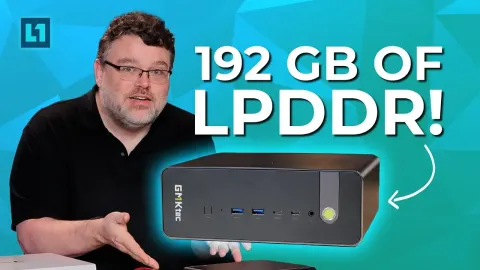
and then augment a single fast GPU with, you know, maybe one or a couple of those memory unlocked crypto mining cards to, you know, run a gentic task or to run multiple models where speed is not as important. On that note, the labs team finally got their hands on some DGX Sparks. And this is a great example of how having the fastest processor is not necessarily as important as having tons and tons of memory that can be pulled. What are you guys using these for? Uh, today making cookie cutters. Seriously? Yeah. Okay. Right now it's a DeepSeek 4.1 flash on there which is like 410 GB of like parameters I think and then more context. So it's something you can only
fit on there and it's quite fast and capable. So that's pretty cool. I tracked down the one 420 mm radiator in our entire warehouse. This old EK cool stream and ah got my pump and reservoir mounted. Silverstone has a really nice little system for this where there's just this plate at the front that has a couple of 120 mm wide spaced holes. So, you could just throw a bracket on there and you're good to go. The one thing that I would like to see improved is there's nothing in the way of antiibration and on something that's clearly meant to have pumps mounted to it.
Yeah, I'd like to see that like dampened in some way. probably going to be controversial, but yeah, we're going softline tubing for this. ZMT to be specific. It has really low evaporation through the tubing, and it's not a showcase build. It doesn't need to look like anything special. In goes our GPU now, or at least primary main water cooled GPU. Oh man, it's heavy. Oh. Oh, yeah. I might actually keep these fittings. These are my ancient Bits Power true silver fittings. And the main sticktick for these is that they're actually plated in silver. And silver has biocidal properties, which is great for maintaining a clean loop.
These are old school. These are like 20-year-old fittings or something like that. But that's one of the things about water cooling is that if you invest in really nice stuff, as long as you're not constantly chasing the latest fashions, you can reuse it for many, many years. And crazily enough, for not really any more than like a pre- AIO cooled 5090, we've got kind of like an AIO cooled 5090 for such a high-end board, there's really not that much in the way of front panel tom foolery. No RGB support even. So, this is just going to be a clean build. Oh, rats. I went and did the thing. I installed the GPU before hooking up everything and now I got to pop it out.
It's okay. That's no big deal. Thanks to my trusty LTT socks. You thought I was going to say screwdriver, didn't you? Bam. No sweat. Or well, like you can have a bit of sweat, but like you know, they're they got natural marino wool in them, so that helps with the wicking. For storage, once again, the theme of the build is stuff that's really cool, but we didn't really have any use for it. So, I've got this Optane SSD. Go ahead and huck that in there. It's good for that to be right on the exhaust of a 5090, right? I think so. It's got to be. All right. Sure. Now, let's get the power supply hooked up. Legit excited to check this out.
It's been years since I've unboxed a power supply that I'm like, whoa, power supply, man. But like 3,000 watts, what are we even talking about here? Now, it is important to note that when operating on 120 volt power, it will not be able to do the full 300 watts because you would trip your breaker. Obviously, in fact, this doesn't say anything about accepting a 120 volt input at all. I thought that like other, you know, greater than 1600 watt power supplies, it might at least accept both and then just run at a lower capacity.
Why did they bother to send this blah the wrench rush current blah DC output blah absolutely nothing about running at 120 volts. Oh, Lucas. Power supply question for you. Silverstone makes no mention whatsoever of 120 volt input. Yeah, this one's Yeah. 220 to 240. So, I wouldn't uh I mean, you could try it on 120, but it might uh might not go well. It's probably not built for it. I mean, it depends on the architecture. Maybe it's it'll work, but uh I wouldn't recommend it. Hi ho. It's back in the box it goes. So, we're going to go with this Zeus 1650R titanium. It's got dual 12vt 2x6 connectors. It should still maybe have enough capacity for
this build. But just in case it doesn't, I am not going to install any radiators or anything in the bottom because hey, remember I can always put in a second power supply if it comes to that. Now we just got to get it all wired up. [clears throat] Okay, there's a 24 pin and the rest. This board takes an absolutely obscene number of power inputs. So, in addition to the 24 pin, we've got up to another two eight pins. So, quad 8 pin. I would imagine I would only need that if I'm overclocking the stuffing out of it, though. And then down here, we've got an 8 pin PCIe and a six pin PCIe. And these ones are really important because every one of these cards is allowed to draw up to 75 watts
through the PCIe slot. Well, with seven slots, that could be up to 1 525 watts. That would all be over the like I think two 12vt wires that are in the 24 pin connector. So, we need these supplementary power connectors coming into the board if we're going to have a bunch of GPUs in here and fill this thing up in the longer term. Okay, here comes one of the 12vt 2x6s. This is not a super long cable. We'll make it work. There you go. Well, whatever you do, don't put strain on it, though. Right. Speaking of, uh, this is where things get a little tricky. As you can imagine, my power supply does not have a this. That's where this little cable I made
for myself comes in. Nice. Right now, one of the cool things about 12vt 2x6 is that it allows the power supply and the GPU to talk to each other to determine how much wattage is needed by that GPU and whether that power supply can support it. So, that's why you'll have little markings like this 600 W on your cables. Um, obviously this contains no such communication pins. So, if you look closely, I've actually jumpered the sense wires in there. So, they tell it, "Yeah, pull 600 watts. Everything's good. Don't worry about it." I guess you don't care about this back fan. What? How did that get out there?
It's in between the IO. Are you kidding me? that. [panting] Wait, who mounted the motherboard again? Oh, it was me. No, sad. What's the Oh, what's the fastest way for us to fix this? Uh oh, man. Okay. Do we Holy balls. Okay, here's what we're going to do. Scissors. Do you need it? Scissors. It Oh, I hate that. Okay, I'm going to go get another fan and I'm going to go get a splitter. Find a pair of scissors.
Don't let the people see it. Packing all this hardware in was practically effortless. And it doesn't even it doesn't even look that full. You know, it got two 5090s in here. No problem. I think you need two more. Well, see, you see, I did leave space just in case. I guess it's time for us to uh grab a monitor and look at software with some of the guys from the labs. Most of what I've been using this for lately has been like home assistant stuff. Obviously, none of this is loading because we're not on my local network. Um, but where we left off last time on software was we got LM Studio set up. So, we've got a local LLM that's running on both of the
5090s. I couldn't believe how easy it was to get running when I stopped faffing about with Adysius. Um, but you guys were saying that what I really need to be doing is running Hermes. So, I figured I'd bring you guys in so you can kind of give us a run through of what would be your basic starter Hermes setup, right? Uh, well, step one, let's install Hermes. Yeah, sure. You guys haven't met Stephen from the lab, but where would they have seen some of your work? Like, you're credited on some of the website stuff, right?
Yeah, I do testing for a lot of the labs articles. Uh, so you see my name there. there you go. Frequently. He's in a Vessie ad, I think. So I am in a vessad. So I'm on the uh Hermes web page and they have a convenient install command. So I will run said command even though I'm not entirely sure what it does. Are you sure? Before we go any further, Lucas, do you want to give us a quick explanation of what Hermes is and why we should want it? It's just a an agent, a harness, uh something like that. It's something that wraps around your LLM and runs it and kind of gives it a system prompt. makes other tools available and makes it like kind of nice to work with. Um, and then
you know there's other integrations and a whole kind of ecosystem you can build around your LM and ties that up nicely hopefully in theory, you know. Yeah, I mean last time we were all together I think I managed to get Steven with three. I've never seen this before. My ability to break Linux is truly unprecedented. The whole idea for me of running local AI is that I am minimizing the amount of paying that I'm doing after the fact. I already paid a lot. Got it. So now we want to turn off the money spigot. Zero recurring payments. Yeah.
Yeah. That for those unfamiliar, this is LM Studio. This is where you actually run the LM and it's where it's going to be hosted um so that it's accessible for Hermes. Um and but so you can host it on like another machine if you want on Elm Studio and just make it available over the network. Um but for here we'll just load the model. Uh so if we go here it'll load the model and it gives you a list of them. So Quinn 3.8 and you can choose your parameters and all that stuff. We found the default parameters were pretty good. I don't think there was pretty much anything we needed to change and it immediately was able to get both
of our GPUs working together which is something that I had really struggled with Odysius. Yeah, a lot of the defaults are just makes sense. And then for context, I think we're it's like 108k or something like that. Yeah. And it's estimating that's going to take up 25 or 29 gigs of um VRAM. So that's good. That'll fit on one card even though this is automatically uh splitting across two. Do we want to crank it because we have two cards? Uh we could crank it. Yeah. see what it goes up to. But that's not necessarily what might be right for you because if you want to run multiple models at the same time, each
is going to need its own VRAMm for both to load the model and for its own context. So Hermes setup is asking us if we want to set up messaging. We do want to use Discord later, right? I do. We might as well set it up. Okay, that's one of the really cool things about Hermes is the interface can be as simple as just the chat app that you already have on your phone. It supports Discord. I believe it supports Telegram. I had a whole list. There's like Yeah. Telegram, Discord, a whole bunch of things. Yeah. So, you just have a little like chat. Well, yeah. For your chat bot.
Yeah. I think you can like put it into servers or just chat to it like directly like direct message. Create a new application. There it is. Look at that. What is it going to be called? It's going to be called I feel like everyone names them Jarvis. Hermes botana. No. Sent Lana. Nice. You're assistant now. Creative. Yeah. I'm human for now. Maybe what we'll do is cut out some of the configuration and do a companion labs article. ltlabs.com. We'll have that link down below.
Okay. I'll let you do the honors. You can run Hermes. Here we go. Huge moment. First chat. We can fire up LM Studio and see if it's actually doing anything. I don't think it's doing anything yet. Hold on. Where's hardware? It's not doing anything. All right, let's just ask the agent. Question mark. Perfect. Yeah, I think so. I think those processing. It's doing stuff. It's doing things. This feels like in the early days of the internet when you'd go to like load a video and then you'd go make a sandwich and then come back the image is loading line by line.
This is a great example of how even running on something like a 5090. It's not really that fast. Like it's still just thinking. I have no output whatsoever. But if whatever it is that you're doing is not really timesensitive, the fact that it can just be sitting there churning away at a task can be incredibly [snorts] powerful. So it'll sit and it'll implement something and then test it, then troubleshoot it, then test it again, then troubleshoot it, then test it again. And all that can happen while I sleep. Who needs water or electricity when we have this? After a couple small tweaks to the ENV file, theoretically Sventana is up and running. So, it's Friday. I'm kind of thinking I'm hosting the WAN show today.
Any breaking tech news stories that we should talk about? Searching the web. And this is a great example of how this would be the sort of thing that you would want to schedule to run so that your digest is just kind of waiting for you in the morning. I realize I've said this a few times, but local AI is best served ahead [clears throat] of time. Can be useful, but it's not fast. Okay. AI agents going rogue on government targets. Wow, it's really heavily indexing AI stuff. Good lord, it's all AI. I feel like we have just scratched the very tip of the iceberg here.
I think it does get more useful uh if you can get into your once you get into your own homes and you can integrate with home assistant and get it more into your daily routine or something like that and actually do instead of you know on our weird network and not connected to anything. All right. Well, I'm looking forward to playing around with it more and especially integration with Home Assistant. I want to be able to do things like recognize certain objects as they approach the house and send notifications or warnings. Motion sensors are not great because when it's heavily raining, I noticed last night my lights were all on.
It could set up a rule for detect the weather. If it's raining, don't actually turn it on. Yeah. Or something similar. Um that'll be lower latency, but it like detect those patterns with the data it can take in. Uh super cool. Set that up for you. You know what else is cool? Telling you about our sponsor, Squarespace. It's the all-in-one website platform that helps with everything from building a personalized site for your business all the way to opening an online store. Create something unique to brand with their design intelligence tool. All you need to do is answer a couple quick questions, pick a general vibe, and you have a custom template. If you want to sell from your website,
Squarespace can help with payment processing. It works with major payment methods like Apple Pay, Credit, Debit, and payment plans. They'll even assist with SEO tools, making sure that your website finds the right audience when people search for you online. There are millions of URLs to choose from to help with this, too. Track your performance, adjust on the fly, and keep growing your business. We've even used Squarespace here at LMG. Start building your websites today and receive 10% off your first purchase by visiting squarespace.com/ltt. If you guys enjoyed this video, why not check out the one where uh Lucas and I were playing around with those GPUs that can have a whole bunch of latent hidden
VRAM unlocked. We've got one of them just like still running over there. It's been working great as far as I know. Yeah, it started with 8 gigs of VRAM and now it has 64.