16:37
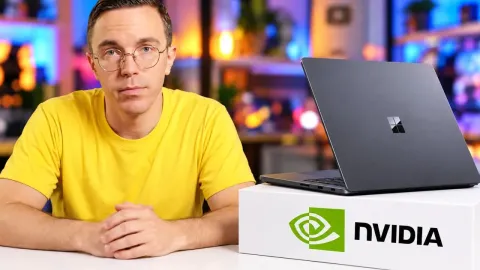



After many, many delays, the RTX Spark is finally getting its day in the sun and Nvidia's new laptops and for chip is unlike anything that we've seen before. To the point where Nvidia barred anyone from publishing independent benchmarks on the first day of the launch and gave a long talk about the pitfalls of benchmarking these chips, especially when evaluating their performance in local AI. In fairness to Nvidia, they did make some good points. Benchmarks that spit out a number but don't represent real workloads can be very misleading and local AI performance, both from a speed and accuracy standpoint, has changed so much since they unveiled this product in June that the value proposition is very different today than it was just a few
short months ago. And Nvidia has good reason to be nervous about how this product is evaluated. While it's unlikely to move the needle in terms of revenue, it has been a long time in the making and it represents a huge power play from them where they're horning in on AMD and Intel's turf like never before. In a nutshell, it would be pretty embarrassing if this doesn't go well. But it should, right? I mean, it sounds kind of amazing. A PC chip that combines a powerful, efficient ARM CPU with Nvidia's proven graphics technology and then feeds them with up to 128 gigabytes of LPDDR5X. On paper, it looks to be finally a real competitor for Apple Silicon and looking at how much the Windows and Surface teams have done to make this launch a
success, Microsoft clearly feels the same way. But there are some serious questions that need to be answered before I can recommend these things. Has Linus done his Framework investment disclosure yet? They're also thin. Do they thermal throttle? Does the gaming performance and the longevity on battery hold up to Nvidia's claims? Spoiler, no. What does hundreds of games supported at launch mean? Have they really figured out real-time translation of x86 games and applications to an ARM CPU? And if there are compatibility compromises, does Nvidia's ability to take huge AI models and agentic workflows with you on the road totally overcome them? With some help from the team at LTT
Labs, we're going to be answering these questions and more. Like who the heck is our sponsor? Proton. Unlike their competition, Proton Drive and Mail are private by default. They use end-to-end encryption whether it's storing photos or sending emails, ensuring only those that need access have it. Get started with Proton for free using our links below. Let's go over the specs that Nvidia cooked up with their new N1X chip, which we tested inside two machines, Microsoft Surface Laptop Ultra and the ASUS ProArt P16.
What's really interesting here is that while the SOC is fresh off the line, the processors seem to be DOA. Not dead, but dated on arrival, since the design is kind of a mashup of the Cortex-X295 and the Cortex-A725 that ARM revealed over two years ago. Newer ARM core designs do exist, like the C series, which we would have preferred to see, but that would have required completely redoing this chip, and instead, what Nvidia has done is pretty much reused the same SOC from the DGX Spark, apart from the power limit, given that these are laptops. Now, there are actually two N1X configurations out there with a two-core difference from each other.
The laptops behind me though are running nearly identical configurations, with the exception that our Surface happens to have double the amount of unified LPDDR5X. Our chosen competition for the N1X spans Qualcomm, Apple, AMD, and Intel, with the most direct comparison being the Ryzen AI Max 395 devices that are represented by this ASUS ProArt and GoPro Edition. So, let's run Spark through the gauntlet starting with how it games. Our selection of games really came down to what runs on everything including Apple, which apparently is Cyberpunk 2077, Grid Legends, Shadow of the Tomb Raider, and Total War: Pharaoh. These are traditionally x86 titles, but thanks to
Microsoft Prism, they're able to run across our mostly ARM-based lineup of competing devices. And they seem to run fine with the results telling us what we mostly could have guessed. Discrete graphics still run the best, but if you're going to have on-board graphics, boy do you ever want one of these big GPU chips like you find in the Spark laptops because they did manage to eke out a win over both Apple and Qualcomm's integrated offerings. Or at least that's what you'd think if you focused on the results for Cyberpunk 2077 where we found 1200p on the medium preset was way playable with lows pushing 80 and averages in the mid-90s. But then in Total War: Pharaoh, we averaged below 60 at the ultra preset.
Not stellar, but good enough for a tactical game. We saw the N1 X go toe-to-toe with the M5 MacBook in Shadow of the Tomb Raider, but then it underperformed in Grid Legends, which I guess it's just less consistent than I expected. I mean, given NVIDIA's pedigree, not to mention their claims of 100 plus FPS at 1440p. I just thought there'd be more. But clearly those numbers are relying on enabling DLSS, but that wasn't part of our testing for this video. We already know DLSS is pretty good and the latest DLSS 5 model supposedly runs twice as fast and will be supported out of the box, but that update wasn't available in time for testing. So, it'll perform like that, but like a plus the DLSS. Let's move on to productivity.
Something that was really nice about every test we ran this time is that they all have a native Windows ARM build. So, we don't have to worry about any potential performance losses due to translation. Popping open Cinebench, both of our laptops lagged a bit in multi-core performance and in the single-thread test, we found our results were in line with the Intel inside the Alienware 16X Aurora, which was well below both the latest Snapdragons and Apple Silicon. Nvidia's AI laptops are in line with the hardware design that they were given. It's just that hardware is a little old. Moving on to 7-Zip for a throughput test, the playing field is fairly even here with the exception of the Ryzen AI Max Plus which stole the crown.
For our Blender render test, we had to run a beta build to have support for these RTX Spark devices. While it wouldn't be practical for most users to render on the CPU, we did give it a whirl and the Spark laptops performed the worst in the Monster Under the Bed scene. That said, once we enabled GPU rendering with Optix in the Barbershop scene, we saw performance that was more in line with what you'd expect. But is that enough? Like, I hate to be the one who has to say it, but is keeping up enough? How about in our Godot compile test? Both Qualcomm and Apple had considerably stronger performance in this test with Spark remaining just on par with the
rest. And in Principled as well, it's just slow. Is there anywhere it isn't slow? Well, we ran a staple for creators, Puget Bench, and Spark was about average. Okay, so not a competitor for Apple Silicon at this point, but Adobe does have a few features that are exclusive to Nvidia that could make the difference for some creators. Plus, an upcoming Photoshop build that is optimized for GPU acceleration. So, where does this leave us? Not with a clear recommendation for these devices for creators, but after all, these are AI laptops, are they not? So, why don't we dive into their AI compute ability? The sheer breadth of memory configurations
across our devices that we're comparing gave us a lot to consider. But we settled on two AI models for our testing. Gemma 4 E4BQ8 since it's teeny enough to fit regardless of our memory configuration, and Qwen 3.8 27B Q4KM for our devices that have a bit of extra wiggle room. We started with Llama bench, part of Llama.cpp to get an idea of what a best-case scenario would look like. When it comes to prompt processing on Gemma, we found nearly 2,000 more tokens per second on Spark, way ahead of the Ryzen AI Max thanks to CUDA, but still not even close to a discrete GPU. And once it came to text generation, those leads completely evaporated and the Spark once again was sitting in the middle of the
pack. It is worth noting, however, that there are many factors that can affect inference speed such as your inference engine or quantization, so your mileage may vary. What is nice for those that are very interested in these laptops for AI though is Nvidia has resources similar to AMD's playbooks that help you get set up. And Windows now offers a basic wizard during your initial setup that will walk you through setting up Hermes and the like. Although it is worth noting that it won't appear if you set up Windows using an offline account. Moving on, when it came to testing battery endurance, we ran a 1080p video from a Plex server and then noted the time of death for each device.
The Surface RTX Spark was about even with the Apple MacBook Pro 14 at 9 hours, while the Asus ProArt P16 sustained a whole 12 hours, which sounds impressive except that it still didn't beat the Asus Zenbooks nearly 13-hour duration. And it's even less satisfying once you consider that both Spark laptops have 30 to 40% larger batteries. We also ran a stress test to gauge how long they last while pushing maximum performance and well, you wouldn't think there's an ARM chip in there if you didn't know. Interestingly, something that we did notice once we pulled the plug on some of these laptops is that on the ProArt P16 specifically, performance did vary throughout its battery life, which means that your experience may vary.
Given Nvidia's claims of plugged in and unplugged performance being extremely consistent, we feel there may be more to explore here. Thermals testing was unfortunately a bit of a mess. We weren't able to get reliable numbers from the ProArt, but the Surface's fan curve had it hovering around 95°. Though it didn't throttle and despite running hot, it was stable. We would love to share more, but we just can't confidently do that because we use Hardware Info for this testing and unfortunately, Nvidia hasn't yet given them the advanced verified support that they need to properly monitor the Spark sensors. We're hoping that Nvidia will open up a bit after the launch.
Uh-uh-uh-uh, Nvidia? But that's still not as good as being able to tell you guys now. Ugh. All in all, these new N1X devices are tough to recommend. Yes, they're fully featured and they benefit from extensive optimization work by Microsoft, Qualcomm, and Nvidia to make Windows on ARM a thing, but the existence of other competent ARM devices, not to mention very power-efficient X86 devices, makes it tough to just give a blanket yes. And the price really doesn't help. The Microsoft Surface Laptop Ultra configuration that we tested costs nearly $6,000 and the 128 gig version of the ProArt P16 is another thousand. That's steep and I'm just not really sure who's out there that should fork over that amount.
I did ask and frankly, the answer that I received was someone who wanted to use AI while they're riding in a plane high in the sky with unreliable internet. Because I don't know, that's probably the only place you wouldn't be able to access an AI resource that you set up at your house and then just access through the cloud. So, realistically, what that tells me is that if these were the last AI device on Earth and you were in dire need of AI compatibility, then there's a very compelling use case here. But, with everything else that's already out there, there really is nothing about these devices that makes them particularly compelling unless you just can't stand MacBooks. You hate Apple. If you want a more thorough
explanation, by the way, of everything that we covered here today, feel free to check out our full labs write-up, which is linked down below. But, who the heck is our sponsor? Proton. So many players in the big tech space offer you services at the low of every bit of your personal information. Usually because they want to hoard all of it to feed you advertisements or train a large language model. But, not Proton. Proton uses end-to-end encryption for things like mail and drive. So, every message sent and file saved stays safe and secure. Drive backs up everything automatically and is done so in a way that doesn't share anything with anyone, including
Proton, not even the metadata. No third parties, no AI models, just you and who you choose to share with. Their fish guard tool can flag suspicious emails to assist in preventing hacks and data breaches. Or go one step further and create email aliases to keep your private or professional addresses hidden. They also pride themselves on the privacy protections they are afforded operating outside of America since they are built and based in Europe. Take control of your privacy with Proton Mail and Proton Drive. Keep your emails and files protected with end-to-end encryption. Get started for free using our link below. If you guys enjoyed this video, why not check out the time that I checked out these devices live at their event. It
was yesterday's video and it'll help to paint the full picture of what we were promised versus I guess what we talked about today.